
Capture the incident. Keep the full story together.
Create structured incident records, collect supporting details, coordinate review, and maintain a consistent operational history from initial report through follow-up.
Better reports start with a consistent process.
Signalix gives teams a structured way to capture incident information so details, evidence, review activity, and follow-up stay connected.
MORE CONSISTENT REPORTING
Guide field teams through structured incident capture.
BETTER REVIEW CONTEXT
Keep supporting information with the incident record.
CLEARER FOLLOW-UP
Maintain visibility into review and resolution activity.
Keep incident information organized from the start.
Capture incident details, supporting evidence, and operational context in a structured record designed for review and follow-up.
- Structured report forms
- Incident categories
- Narrative details
- Location and site context
- Photo attachments
- Supporting files
- Review workflow
- Status tracking
- Follow-up notes
- Exportable records
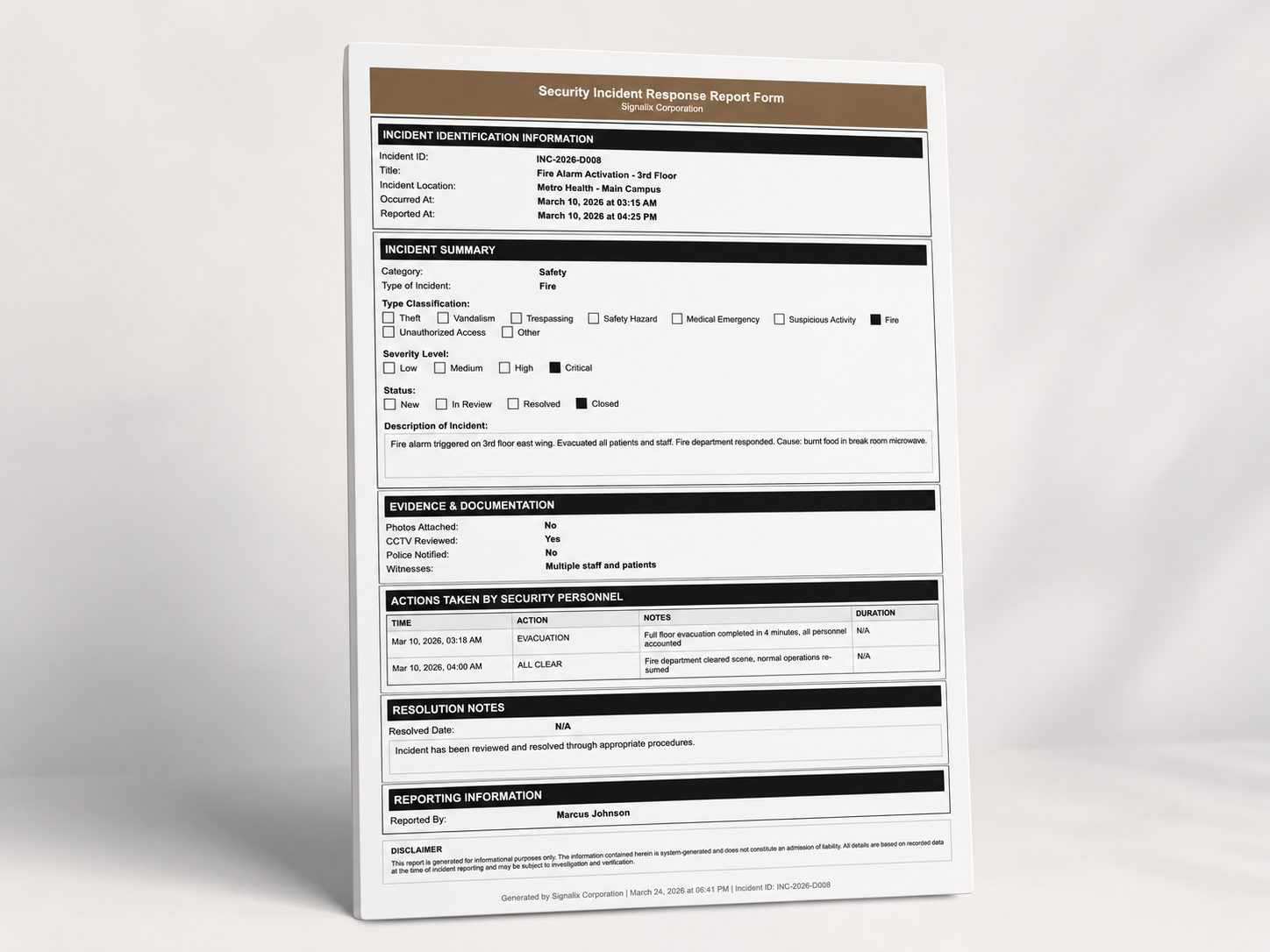
From initial report to final review.
- 01
REPORT
Capture the initial incident details.
- 02
DOCUMENT
Add narratives, photos, files, location context, and relevant information.
- 03
REVIEW
Route the incident through the configured review process.
- 04
FOLLOW UP
Record additional actions and investigation activity.
- 05
CLOSE
Complete the operational incident record.
- 06
ANALYZE
Review patterns and reporting trends over time.
Structured tools for serious incident documentation.
CUSTOM REPORT TYPES
Support different operational incident categories and reporting requirements.
SUPPORTING EVIDENCE
Keep photos and files connected to the incident.
SITE CONTEXT
Associate reports with the relevant client, location, and operational context.
REVIEW WORKFLOWS
Give authorized users structured review visibility.
FOLLOW-UP HISTORY
Maintain a record of additional activity after the initial report.
EXPORT AND SHARING
Prepare incident records for appropriate operational or client workflows.
A serious event should not become a search through messages and attachments.
KEEP DETAILS TOGETHER
Maintain the incident narrative and supporting information in one record.
IMPROVE REVIEW CONSISTENCY
Give supervisors a clearer incident review workflow.
SUPPORT CLIENT COMMUNICATION
Prepare organized records for appropriate sharing and discussion.
MAINTAIN HISTORY
Build a searchable operational record over time.
Incident reporting across the operation.
GUARDS
Capture structured incident information in the field.
SUPERVISORS
Review reports and coordinate follow-up.
OPERATIONS LEADERS
Maintain broader visibility into incident activity.
CLIENT USERS
Access approved incident information when appropriate.
Connected Platform modules
Common questions
Can reports include images?
Yes. Incident records can include photo attachments and supporting files connected to the report.
Can different incident types use different forms?
Yes. Signalix supports configured report types for different operational incident categories and requirements.
Can supervisors review reports?
Yes. Authorized supervisors can review incident records through configured review workflows.
Can follow-up activity be added later?
Yes. Additional notes, actions, and investigation activity can be recorded after the initial report.
Can incidents be exported?
Yes. Incident records can be prepared for export through appropriate operational or client workflows.
Can clients access approved incident records?
Yes. Approved incident information can be made available to authorized client users through configured access rules.
Can incident trends be reviewed through Reporting?
Yes. Incident history and related operational data can be reviewed through Signalix reporting workflows.
See how Signalix fits your operation.
Book a customized demonstration based on your teams, sites, workflows, and operational priorities.